Because we bloody love the Native Web
HTML, CSS, and JavaScript are powerful, misunderstood, and don't need another framework.
Hammer is a native macOS app for building production‑ready static sites — includes, templates, content collections, live reload, and nothing you don't need.
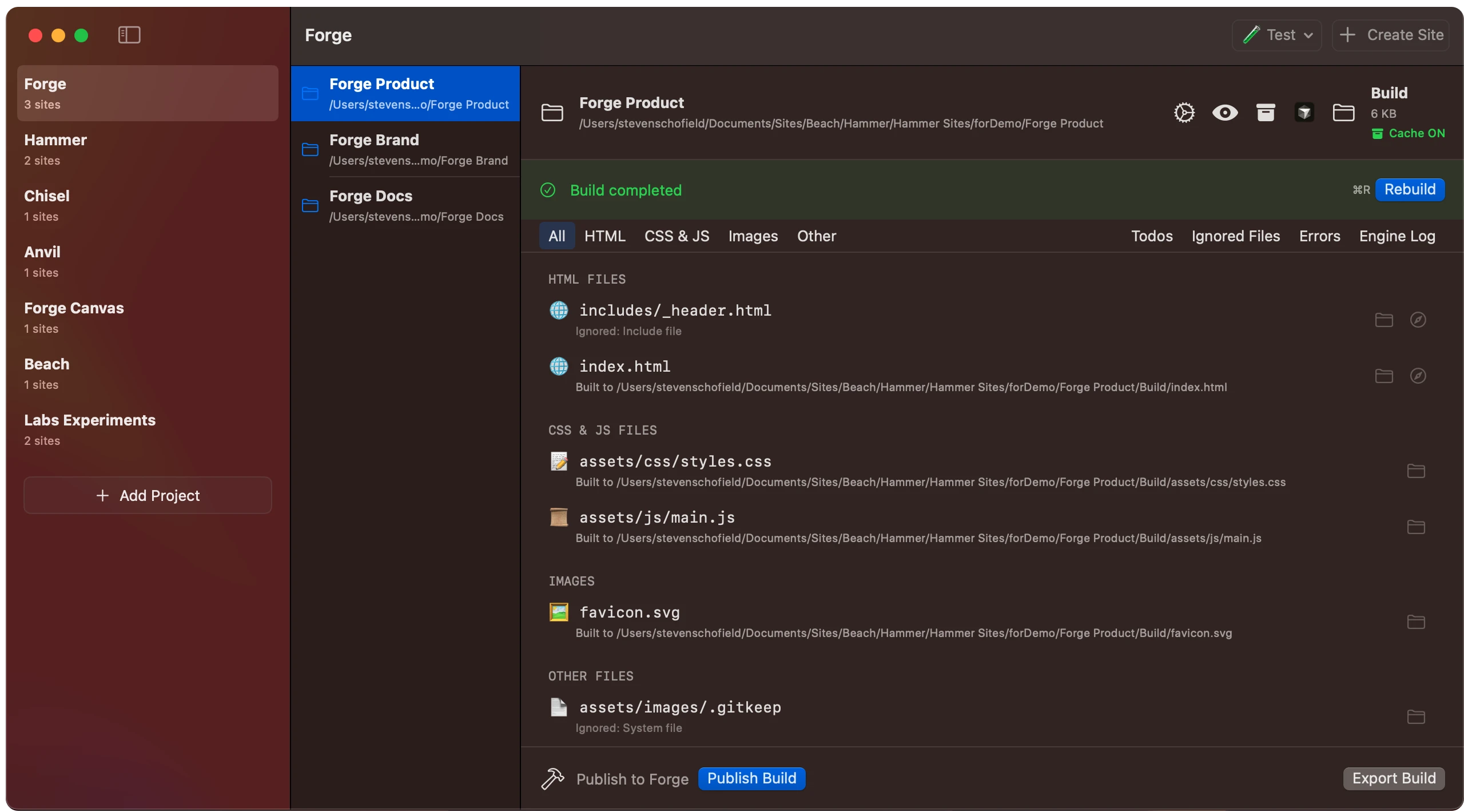
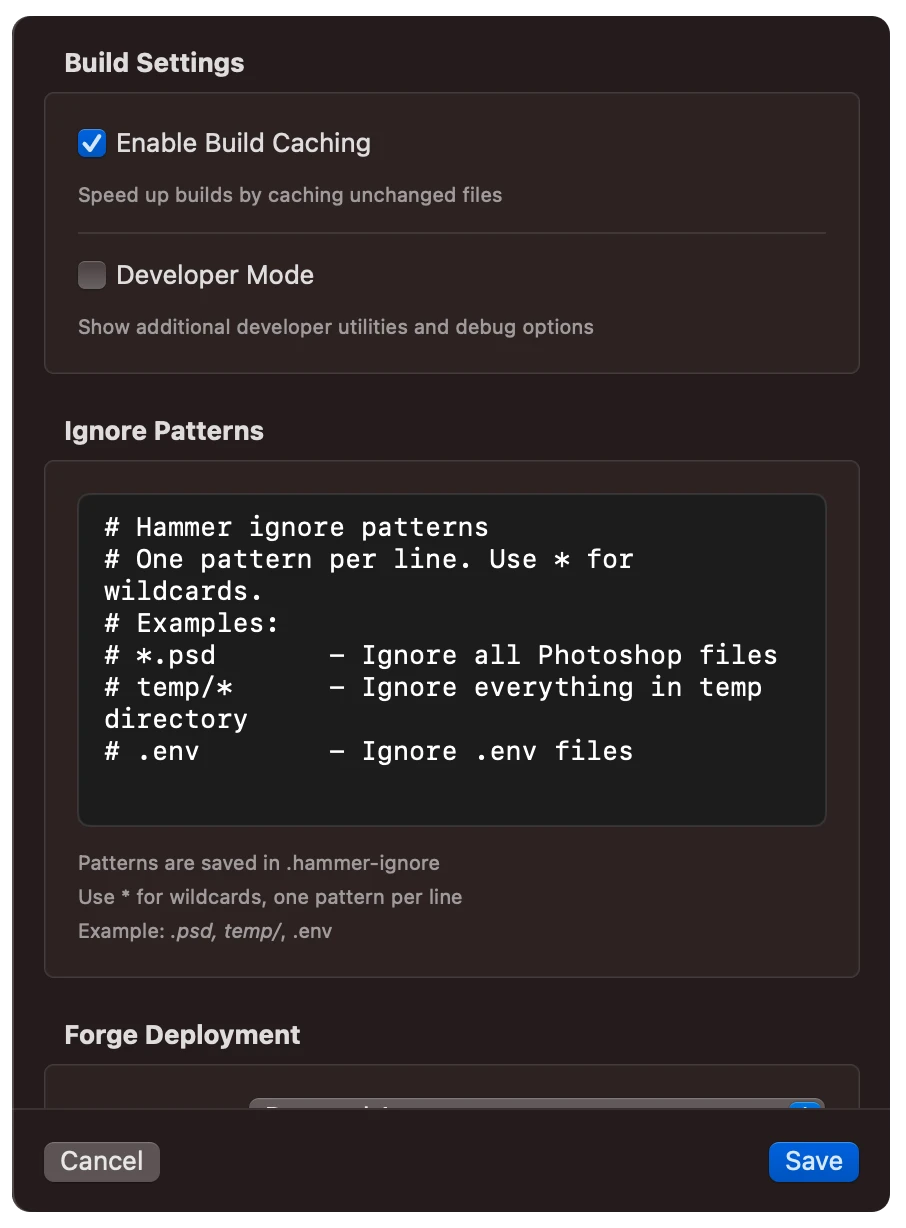
The tools HTML deserves.
Includes
Split your site into reusable components. Headers, footers, navs — write once, include everywhere. Your markup stays DRY without a framework.
Learn about includes →<!-- @include _header.html -->
<!-- @include _nav.html -->
<main>
<h1>Welcome</h1>
</main>
<!-- @include _footer.html -->Template Engine
Conditionals, loops, and logic — real HTML composition without adopting a framework. Build dynamic pages from simple, readable tags.
Explore templates →<!-- @if showBanner -->
<div class="banner">Welcome!</div>
<!-- @endif -->
<!-- @loop item in nav -->
<a href="<!-- @item.url -->">
<!-- @item.name -->
</a>
<!-- @endloop -->Placeholders
Generate placeholder images at build time. Set dimensions, colours, text, and services — perfect for prototyping layouts before assets are ready.
See placeholder options →<img src="<!-- @placeholder 800x400 -->"
alt="Hero image">
<img src="<!-- @placeholder 300x300
service=picsum -->"
alt="Photo">
<img src="<!-- @placeholder 400x200
bgColor=2563eb
text=Coming+Soon -->"
alt="Banner">Clever Paths
Reference any asset by name — Hammer finds it, resolves the path, and links it correctly in your build. No more broken references.
Explore clever paths →<img src="<!-- @path logo.png -->"
alt="Logo">
<!-- @stylesheet style.css -->
<!-- @javascript app.js -->Navigation Helpers
Hammer automatically adds current and current‑parent classes to your nav links. Style active states without a line of JS.
<nav>
  <a href="/">Home</a>
  <a href="/about/"
     class="current">About</a>
  <a href="/docs/"
     class="current-parent">Docs</a>
</nav>
Variables
Define variables once, use them everywhere. Site names, meta tags, repeated values — change in one place, update across your entire site.
Learn about variables →<!-- @var siteName = "My Site" -->
<!-- @var author = "Beach" -->
<title><!-- @siteName --></title>
<meta name="author"
content="<!-- @author -->">
<link rel="canonical"
href="<!-- @siteUrl -->">Content without the database.
Manage blog posts, docs, and structured content with Markdown and YAML. Schemas, relations, field validation — no server, no runtime.
---
title: "Hello Hammer"
date: 2026-03-01
author: "authors/leon"
tags: ["hammer", "native-web"]
published: true
---

Building for the native web means
respecting what HTML, CSS, and
JavaScript already give you.

Hammer compiles your content into
clean, static pages — no runtime,
no database, no dependencies.<article>
<h1><!-- @title --></h1>
<time><!-- @date --></time>
<p class="author">
By <!-- @author.name -->
</p>
<div class="content">
<!-- @body -->
</div>
</article>Collections
Organize content into typed collections — posts, authors, pages, docs. Each with its own schema and output path.
Relations
Link authors to posts, categories to pages. Hammer resolves references automatically so templates access related data.
Validation
Define required fields, types, and formats. Hammer warns on missing data before you build — not after you ship.
Flat files
Everything is Markdown and YAML on disk. Version it with Git, edit in any tool, deploy anywhere. No vendor lock‑in.
Your AI already knows Hammer.


Hammer ships with Cursor rules, VS Code configuration, and project context files — so AI agents understand how to build Hammer sites without being taught.
The native web is the ideal substrate for human‑AI collaboration. HTML, CSS, and JavaScript are readable, well‑documented, and universal — the languages that both humans and AI write best.
No framework abstractions to decode. No proprietary template syntax to learn. Hammer enhances the web platform — it doesn't replace it.

One-click deploy to production
Production-ready hosting powered by Forge
Forge provides global CDN hosting with automatic HTTPS, staging environments, and custom domains — all managed from a single click inside Hammer.


Built with Swift. No Electron. No compromise.